Swipe Robot: Logic Puzzle Game1.4.1
Publisher Description
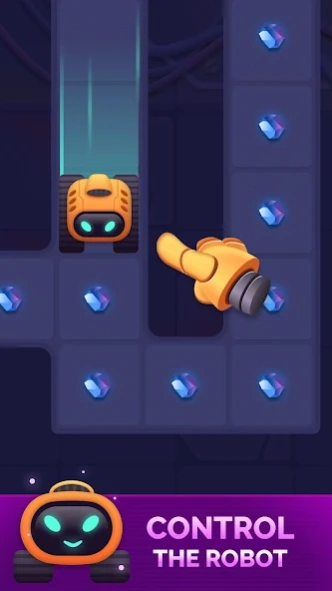


Collect Crystals, Control the Robot, Avoid Traps
Control the robot, bypass obstacles, collect crystals and find the exit! Adventure awaits you!
Can you find the exit and collect all the crystals in levels full of puzzles and obstacles? You'll have to use all your agility and intellect.
An exciting game where the robot has to overcome all the obstacles and reach the exit.
Take control of the robot, what could be easier? But it's not that easy. You’ll have to think through every move, as the levels are full of obstacles and dangers. One wrong step and you start over again. The exit seems close, just open the door, but did you find the key?
Grab some missiles and blast through it! No passage? Find the teleport, or finish the level another way.
- Tons of cool levels
- A game of agility and intellect
- Interesting challenges
- Different ways to complete levels
- Test your knowledge and dexterity
- The robot won't let you get bored
- Robots can be different
Complete all the levels and get fully charged in the new puzzle game with a robot!
About Swipe Robot: Logic Puzzle Game
The company that develops Swipe Robot: Logic Puzzle Game is Lunapp Studio. The latest version released by its developer is 1.4.1.
To install Swipe Robot: Logic Puzzle Game on your Android device, just click the green Continue To App button above to start the installation process. The app is listed on our website since 2026-01-23 and was downloaded 1 times. We have already checked if the download link is safe, however for your own protection we recommend that you scan the downloaded app with your antivirus. Your antivirus may detect the Swipe Robot: Logic Puzzle Game as malware as malware if the download link to com.lunappstudio.swiperobot is broken.
How to install Swipe Robot: Logic Puzzle Game on your Android device:
- Click on the Continue To App button on our website. This will redirect you to Google Play.
- Once the Swipe Robot: Logic Puzzle Game is shown in the Google Play listing of your Android device, you can start its download and installation. Tap on the Install button located below the search bar and to the right of the app icon.
- A pop-up window with the permissions required by Swipe Robot: Logic Puzzle Game will be shown. Click on Accept to continue the process.
- Swipe Robot: Logic Puzzle Game will be downloaded onto your device, displaying a progress. Once the download completes, the installation will start and you'll get a notification after the installation is finished.
Program Details
System requirements
Download information
Pricing
Version History
version 1.4.1
posted on 2026-01-23
Improvements and bug fixes. Thank you for your feedback and ratings!
version 1.4
posted on 2025-04-17
New levels!
version 1.2
posted on 2024-07-17
New levels added
